Featured
Documentation Plus
-48% New
Documentation Plugin for Botble CMS
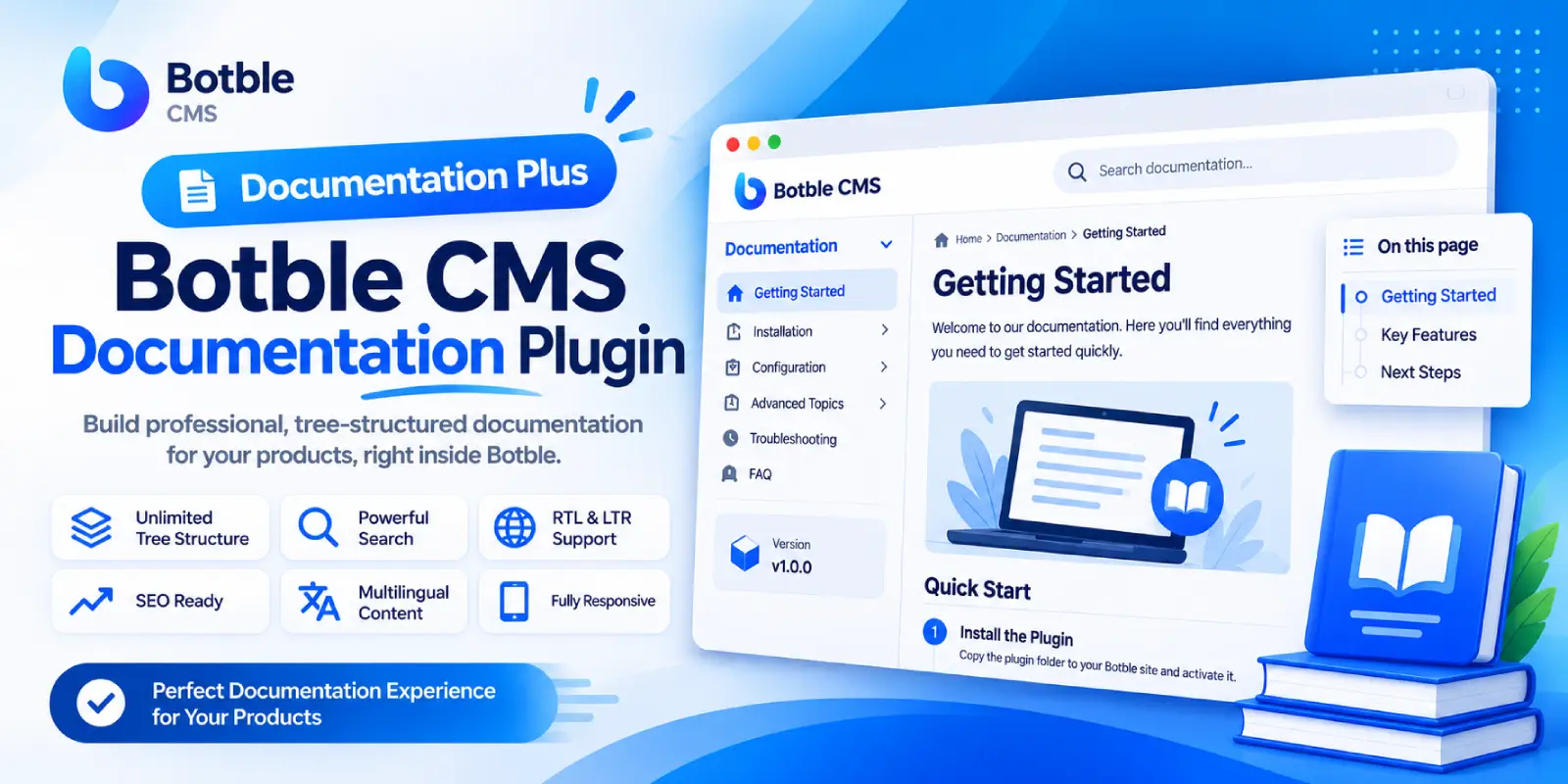
If you sell software, plugins or themes, good documentation means fewer support tickets and happier customers. Documentation lets you write and publish professional docs directly from the Botble admin panel, in the style of sites like docs.botble.com.
Each product gets a unique page such as /docs/product-name. Under it you can create as many pages and sub-pages as you need, and reorder them by drag and drop. Visitors get a sidebar menu, built-in search and an “On this page” table of contents.
Who is it for?
- Plugin, theme and software vendors who need installation and usage guides
- Support teams building a knowledge base for their products
- Agencies and developers writing documentation for client projects
- Any site with several products that each need their own docs
Key Features
Content management
- Unlimited tree structure: pages, sub-pages and sub-sub-pages with no depth limit
- Drag and drop: change a page’s parent and order, with changes saved automatically
- A unique page per documentation: name, description, introduction, logo and product version
- Clean, stable URLs:
/docs/product/parent/child, with full support for non-Latin slugs (including Persian) - Configurable prefix: change
docsfrom Botble’s permalink settings - Drafts and publishing: draft previews are limited to admins with edit permission
Visitor experience
- Fully responsive design with a slide-in mobile menu
- RTL and LTR support, matching your theme’s colors and fonts
- Tree sidebar menu with a page filter
- Search within the documentation, rate-limited to prevent abuse
- “On this page” table of contents generated from headings
- Previous / next navigation for reading page by page
- Copy button on code blocks
- Breadcrumbs and a last-updated date
- Smart content processing: headings get anchor links, wide tables scroll horizontally and images load lazily
SEO and multilingual
- Per-page meta fields, Open Graph tags and JSON-LD structured data
- Automatic inclusion in your sitemap
- Multilingual content through Language Advanced
- Admin panel translated into English and Persian
Botble integration
- Shortcode
[documentations limit="6"]shows documentation cards on any page - Menu option for adding documentation to site menus
- Display settings under Settings → Others → Documentation: index page title and description, search, “On this page”, previous/next links, updated date and sticky offset
- Fixed-header friendly: enter your theme’s header height so the sidebar stays below it
- Botble permissions: separate permissions for documentation and pages
Customization for developers
Override the views from your theme without touching the plugin:
themes//views/documentation-index.blade.phpthemes//views/documentation-show.blade.phpthemes//views/documentation-page.blade.php
If the published CSS/JS files are missing, the plugin loads them inline, so pages always use up-to-date styles.
Security
- All field output is escaped.
- Editor content is sanitized and re-checked after processing.
- Admin routes are protected by Botble’s permission system and CSRF.
- Public search is rate-limited (30 requests per minute).
- Unique URLs among sibling pages are guaranteed by a database index.
Requirements
- Botble CMS 7.4.0 or higher
- Language Advanced (for multilingual content) and the SEO helper are optional.
Installation
- Copy the
documentationfolder toplatform/plugins/. - In the admin panel, go to Plugins and activate Documentation. Migrations run automatically.
- If the styles don’t load, run
php artisan cms:publish:assets.
Getting Started in 3 Steps
- Go to Documentation → Documentation → Create and enter the product name, description, logo and version.
- Click Manage pages and add your pages. Drag and drop to build the tree and set the order.
- Your documentation is live at
/docs/product-name. Add it to a menu or show it anywhere with the shortcode.
FAQ
Can I create separate documentation for several products?
Yes. Each documentation has its own page and its own independent page tree.
Does it match my theme’s fonts and colors?
Yes. The layout uses your theme’s colors and fonts and supports both LTR and RTL.
My theme has a fixed header. Will the sidebar go underneath it?
Enter the header height in the plugin settings and the sidebar will stay below it.
Can I change how the pages look?
Yes. Override the views in your theme folder. No changes to the plugin files are needed.
Will my documentation be indexed by search engines?
Each page has its own meta tags, Open Graph data and JSON-LD, and is added to your sitemap.
Leave a comment
Share:
-60% Featured

-34%

-34% Featured