
Jalali Calendar Plugin for Botble CMS | AryaPortal
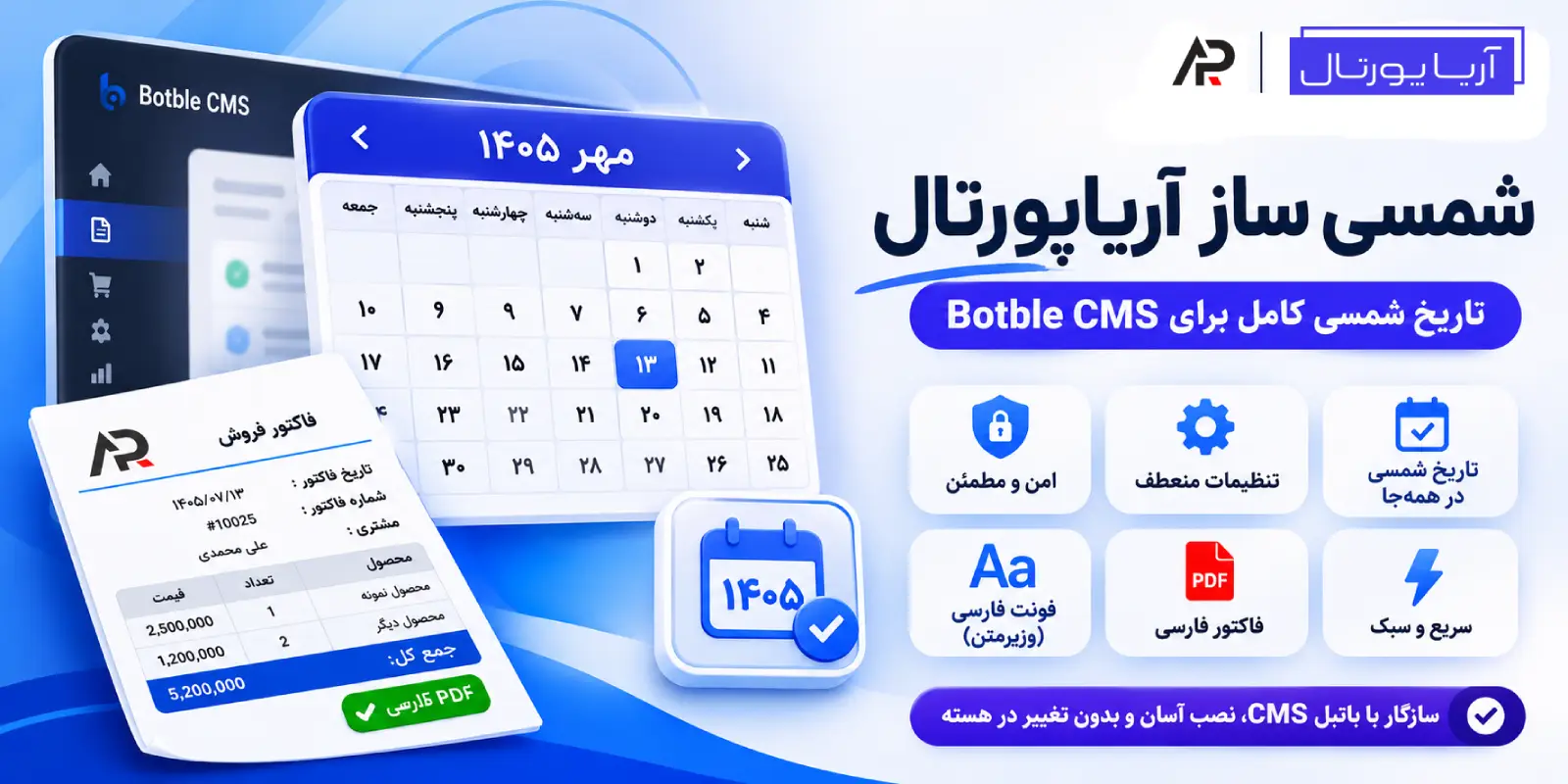
Complete Persian Calendar Solution for Botble CMS
AryaPortal Jalali Converter | Complete Jalali (Persian) Calendar for Botble CMS
AryaPortal Jalali Converter turns every date in your Botble admin panel, blog, shop and customer account into a Jalali (Shamsi) date. It also replaces the Gregorian calendar in forms with a Jalali date picker and produces readable Persian PDF invoices. It installs without editing the core or your theme. Values stored in the database always stay Gregorian.
Why this plugin?
Out of the box, Botble shows everything in the Gregorian calendar. On a Persian-language site this means:
- Post and order dates are Gregorian.
- Form date pickers are Gregorian, such as product sale start and end dates or a customer’s date of birth.
- Persian text in PDF invoices comes out garbled and unreadable.
This plugin fixes all of these in one place.
Features
Jalali dates everywhere
- Admin panel: tables, the “Created at” column, post lists, orders and products.
- Website: blog, shop and customer account area.
- Dates built only in the browser, such as charts and SEO previews, are converted too (this can be turned off).
- Database values, forms and the API stay Gregorian. Your data is never touched and other plugins keep working.
Three display modes, set separately for admin and website
- Jalali only
- Gregorian and Jalali side by side, for example in post lists
- Gregorian only (no change)
For example, you can show “both” in the admin panel and “Jalali only” on the website.
Customizable date style
Pick a ready-made style in the settings. A preview of each style is shown with today’s date:
13 Mehr 1405Monday 13 Mehr 14051405/07/1305/7/131405-07-1313/07/14051405.07.13
Or write your own format using PHP date()-style characters, such as l j F Y. If the date includes a time, the time is preserved. You can also choose Persian digits (۱۲۳) or Latin digits (123).
Jalali date picker in forms
- Gregorian date pickers in admin forms, such as product sale start and end dates, are replaced with a Jalali picker.
- It also works on the website, for example the “Date of birth” field in the customer’s account settings.
- The selected date is saved in the Gregorian format Botble expects.
Persian PDF invoices
- Shop invoices are generated with the mPDF engine and the Vazirmatn font, so Persian text is properly connected and readable.
- The invoice date is Jalali.
- The Right-align invoices option switches the page to right-to-left. Invoice info, customer details, the product table and totals are all right-aligned.
- Customer-entered names, addresses and notes are escaped before they reach the PDF, so nobody can inject malicious markup into an invoice.
- Invoice features need Botble’s Ecommerce plugin to be installed. Everything else works without it.
Persian font: bundled or your own
- Vazirmatn ships with the plugin (OFL license), so there is nothing extra to download.
- Choose where the font applies:
- Invoice pages only
- Website (front end) only
- Entire admin panel and website
- Disabled
- In “Website” mode the plugin font takes priority over the theme font.
- Icon fonts (Font Awesome, Tabler and similar) are left untouched, so icons never break.
- Custom font: upload one file per weight from 100 to 900 (
woff2,woff,ttforotf, up to 5 MB each) and enter a font name. Files are validated, and the browser synthesizes any weight you do not upload from the nearest one. The PDF invoice font remains Vazirmatn.
Lightweight and fast
- No external Composer package is needed for Jalali dates. The conversion algorithm is built into the plugin.
- The plugin’s output in the page source is a single
scripttag and, if the font is enabled, onelinktag. That is about 250 bytes. - JavaScript and CSS files are minified and cached in the browser for one year.
- Calendar styles load only the first time a calendar is opened.
Security
- Font files and assets are served only through allowed patterns with random file names.
- Only admins with access to the plugin settings can upload or delete fonts.
Plugin settings
Path: Settings → Others → AryaPortal Jalali Converter
| Option | Description |
|---|---|
| Date display in admin panel | Jalali only, both, or Gregorian only |
| Date display on website | Jalali only, both, or Gregorian only |
| Jalali date style | Ready-made styles or a custom format |
| Persian digits | ۱۴۰۵ or 1405 |
| Jalali calendar in forms | Replace Gregorian date pickers |
| Convert JavaScript-generated dates | Charts, SEO preview and more |
| Persian PDF invoice | mPDF engine with the Vazirmatn font |
| Right-align invoices | Right-to-left, right-aligned invoice |
| Font scope | Invoices / website / all / disabled |
| Font type | Vazirmatn or custom font (upload) |
Installation
- Copy the
arya-jalalifolder toplatform/plugins/. - Activate the plugin from the Plugins page in the admin panel.
- Run
php artisan cache:clear. - Configure the settings from the path above.
Requirement: Botble CMS 7.4.0 or higher.
FAQ
Does it change my database data?
No. All dates are stored as Gregorian, and conversion happens only when a date is displayed. If you deactivate the plugin, everything goes back to how it was.
Is it compatible with other plugins and themes?
Conversion happens only where a date is displayed. Dates used in filters, the API, emails and form values stay untouched, so other plugins keep doing their job.
Does it work without the Ecommerce plugin?
Yes. Jalali dates, the calendar and fonts work without it. The invoice features only apply when the Ecommerce plugin is installed.
Can I keep Gregorian dates in the admin panel and show Jalali on the website?
Yes. The display mode is set separately for the admin panel and the website.
Will it change my theme’s font?
Only if you set the font scope to “Website” or “Entire admin panel and website”. By default the font applies to invoice pages only.