
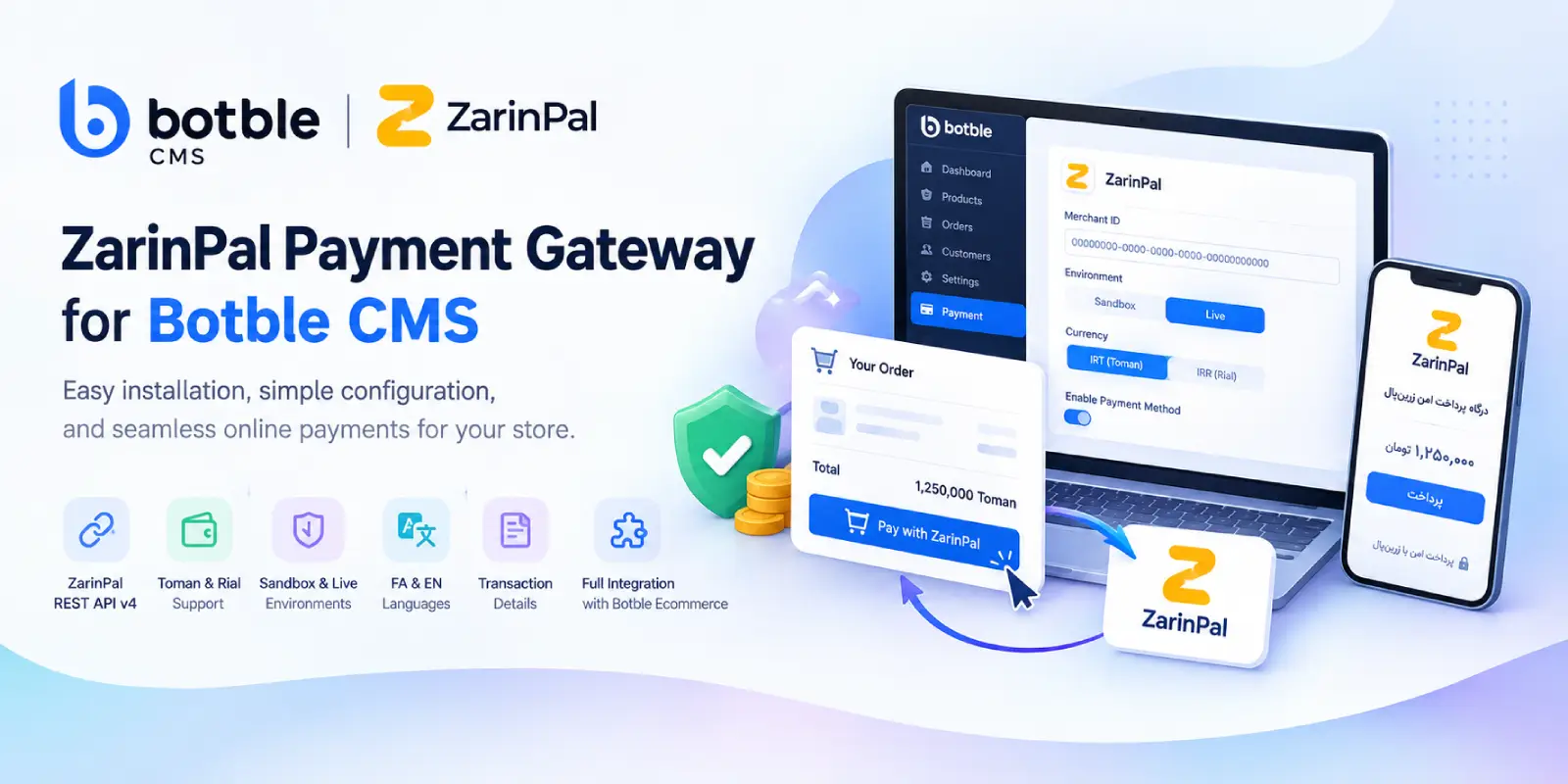
Add ZarinPal payments to Botble CMS with REST API v4, Sandbox, Live mode, Toman/Rial support and transaction management.
ZarinPal Payment Gateway for Botble CMS: Integration, Setup and Download
If you are building an Iranian online store with Botble CMS, payment integration is one of the parts that needs to be handled carefully. The payment gateway has to work with the existing Ecommerce checkout, send the correct amount to the gateway, handle the callback properly, and keep enough transaction information available for verification.
For Botble CMS stores that use ZarinPal, AryaPortal has developed a dedicated ZarinPal Payment Gateway plugin that works with the Botble Ecommerce payment architecture.
The plugin uses ZarinPal REST API v4 and provides the settings needed for a typical Botble store, including Merchant ID configuration, Sandbox and Live modes, Toman and Rial selection, bilingual support, and transaction information in the administration panel.
The goal is fairly simple: install the plugin, configure the gateway from Botble's payment settings, and let the existing checkout process handle the order and payment flow.
Why a Dedicated ZarinPal Plugin for Botble?
Botble CMS already has its own Ecommerce module and payment architecture. Because of this, a payment gateway should ideally fit into that structure rather than introduce a separate checkout or order-processing system.
That was one of the considerations behind this plugin.
The ZarinPal gateway is integrated with the existing Botble Ecommerce checkout flow. Orders continue to be handled by Botble, while the plugin takes care of the communication with ZarinPal during the payment stage.
For a store administrator, this means there is no separate checkout interface to configure and no need to change the structure of existing orders just to add ZarinPal.
ZarinPal REST API v4
The plugin communicates with ZarinPal through REST API v4 for payment requests and verification.
This is important because payment integration is not simply a matter of redirecting a customer to a payment page. The application needs to create the payment request, retain the relevant transaction information, handle the customer's return to the website, and complete the verification process.
The plugin manages this as part of the Botble payment workflow.
For developers working on a Botble project, the integration is therefore kept within the payment gateway layer instead of requiring modifications to the core Ecommerce functionality.
Toman or Rial? The Currency Setting Matters
Currency is one of the areas that can easily cause problems in an Iranian ecommerce project.
A store may display prices as Toman while a payment service expects an amount in Rial, or the opposite configuration may be required depending on the payment setup.
To avoid relying only on the global currency label of the website, the plugin provides its own currency configuration for ZarinPal.
You can select:
- Toman (IRT)
- Rial (IRR)
This setting is handled independently from the store's global currency label.
For developers and administrators, this makes the payment configuration more explicit. Instead of assuming that the currency displayed by the store automatically represents the unit expected by the payment gateway, the gateway setting can be checked directly.
Sandbox and Live Modes
When setting up a payment gateway, it is useful to have a way to test the configuration before switching the store to production.
The ZarinPal plugin supports both Sandbox and Live environments.
The environment can be selected from the plugin settings, so changing between testing and production does not require editing the plugin's source code.
This can be particularly useful while developing a new Botble store, testing the payment flow, or checking the configuration before the website starts accepting real customer payments.
Managing Payment Information During the Callback
A payment process does not end when the customer leaves the website and enters the payment gateway.
After the payment stage, the customer needs to return to the store and the application needs to identify the transaction and continue the verification process.
The plugin manages the required payment session information, including the ZarinPal Authority and payment amount, between the payment request, redirect, and callback stages.
Keeping this information associated with the payment process allows the gateway to continue with the appropriate transaction context when the customer returns to the website.
Transaction Information in the Botble Admin Panel
Payment information is often needed after an order has been completed. Store administrators may need to check a tracking code, review the payment amount, or determine the status of a transaction.
The plugin provides transaction information inside the administration environment, including details such as:
- Transaction tracking code
- Payment amount
- Payment status
- Available transaction information
Having these details accessible from the Botble admin area is useful when reviewing orders or checking the result of a payment without having to manage a completely separate reporting system.
Persian and English Support
The plugin includes support for both Persian and English.
This is useful for Botble projects where the administration environment is used by Persian-speaking administrators as well as developers or teams who prefer to work with an English interface.
Payment-related settings and messages are therefore available in both languages.
Installing the ZarinPal Payment Gateway
The installation follows the normal Botble plugin structure.
First, copy the plugin's payment-gateway directory into:
platform/plugins/
After uploading the files, log in to the Botble administration panel and open:
Admin → Plugins
Find ZarinPal Payment Gateway and activate it.
Next, open:
Admin → Settings → Payment → Payment Methods
The ZarinPal configuration should be available in the payment methods section.
From there, you can enter your Merchant ID and configure the available gateway settings.
Configuring Your ZarinPal Merchant ID
The Merchant ID is the information that connects the Botble plugin to your ZarinPal merchant account.
To configure it, log in to your ZarinPal Dashboard and open the Merchants section.
You can create a merchant or select an existing one and copy its Merchant ID. The plugin expects the Merchant ID in UUID format.
In Botble, go to:
Admin → Settings → Payment → Payment Methods → ZarinPal → Merchant ID
Paste the Merchant ID into the field and save the settings.
Once the Merchant ID has been entered, review the environment and currency settings before enabling the payment method for customers.
What Do You Need Before Installation?
The plugin is intended for Botble CMS websites using the Ecommerce module.
Before installing it, make sure you have:
- A Botble CMS installation compatible with the Ecommerce module
- An active ZarinPal Merchant account
- A valid ZarinPal Merchant ID
The plugin does not replace the ZarinPal merchant registration process. You need to have your merchant account and credentials ready before configuring the gateway in Botble.
Who Is This Plugin For?
This plugin is mainly intended for developers and store owners who use Botble CMS for an Iranian ecommerce website.
It can be used when:
- A Botble store needs ZarinPal as a payment method.
- The store requires Toman or Rial configuration.
- The project needs both Sandbox and Live environments.
- The developer wants to keep the existing Botble Ecommerce checkout.
- Transaction information needs to be available from the administration panel.
- The website administration needs Persian or English support.
It is especially useful for developers who regularly build Botble Ecommerce websites and need a dedicated ZarinPal integration rather than implementing the gateway from scratch for every project.
Download ZarinPal Payment Gateway for Botble CMS
The ZarinPal Payment Gateway for Botble CMS by AryaPortal is available for Botble Ecommerce projects that need ZarinPal payment support.
The plugin brings the gateway configuration into the Botble administration panel and handles the payment integration through the existing Ecommerce payment architecture.
Before downloading and installing the plugin, check your Botble and Ecommerce versions and make sure you already have an active ZarinPal Merchant account.
Download the ZarinPal Payment Gateway for Botble CMS from AryaPortal and configure ZarinPal as a payment method in your Botble store.
Frequently Asked Questions
Does the plugin use ZarinPal REST API v4?
Yes. Payment requests and verification are handled through ZarinPal REST API v4.
Can I test the gateway before going live?
Yes. The plugin supports both Sandbox and Live environments. You can select the appropriate environment from the gateway settings.
Can I choose between Toman and Rial?
Yes. The plugin provides separate currency configuration for ZarinPal, allowing you to select IRT (Toman) or IRR (Rial).
Does it work with Botble Ecommerce checkout?
Yes. The gateway is designed to work with the existing Botble Ecommerce payment flow and does not require a separate checkout system.
Where do I enter the ZarinPal Merchant ID?
After activating the plugin, go to Admin → Settings → Payment → Payment Methods, open the ZarinPal settings, and enter your Merchant ID.
Is the plugin available in Persian?
Yes. The plugin provides Persian and English support for its administration interface and messages.
Final Notes
A payment gateway integration may look simple from the customer's perspective, but several things need to happen correctly behind the scenes: the payment amount needs to be handled with the correct currency, the payment request needs to be created, the transaction needs to survive the redirect and callback process, and the result needs to be available to the store.
The ZarinPal Payment Gateway for Botble CMS was built around these requirements.
With REST API v4 support, Sandbox and Live modes, independent IRT/IRR configuration, transaction information, bilingual support, and integration with Botble Ecommerce, the plugin provides a focused way to add ZarinPal to a Botble-based online store.
For developers working with Botble CMS and Iranian ecommerce projects, it also means that ZarinPal integration can be added as a dedicated payment plugin rather than becoming part of the store's custom checkout code.